
User Guide
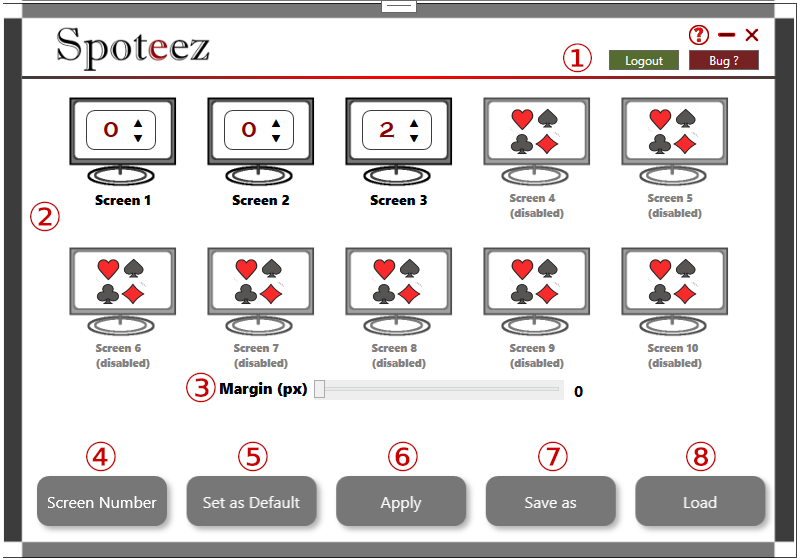
- ① Login / Logout
- ② Spoteez automatically detects available screens. Simply specify the number of tables desired per screen.
- ③ Set the margin between tables.
- ④ Display the number of each screens.
- ⑤ Set the current configuration as default.
- ⑥ Force the application of a change if necessary.
- ⑦ Save and name a configuration (tables + margin).
- ⑧ Load and delete your configurations.